
Renewing YouTube Premium through the Turkey App Store tends to stop at the payment step, not the account-creation screen. The store may ask for a local phone number, hide the payment method, or reject a card after the country has already been changed. This guide follows the renewal record in order so it is clear which account is used at each step.
The new email address is for a Turkey Apple account used for App Store billing. It is not a replacement for the Google account you already use to watch YouTube. Apple and YouTube can change country, payment, and family-group rules, so treat the screens and prices in this guide as a reference rather than a guarantee.
Why the payment step is where renewals stop
A Turkey Apple account can be created with an email address, but a subscription can still trigger local payment or phone verification. Without App Store balance, an in-app YouTube payment may not proceed. A card with an unclear source can also be reversed later, leaving a payment issue on the Apple account.
The order here is Turkey billing account → phone verification → TRY balance → YouTube Premium family renewal → invitation to the existing Google account. Find the step where the process stopped before repeating everything.
What a completed renewal looks like
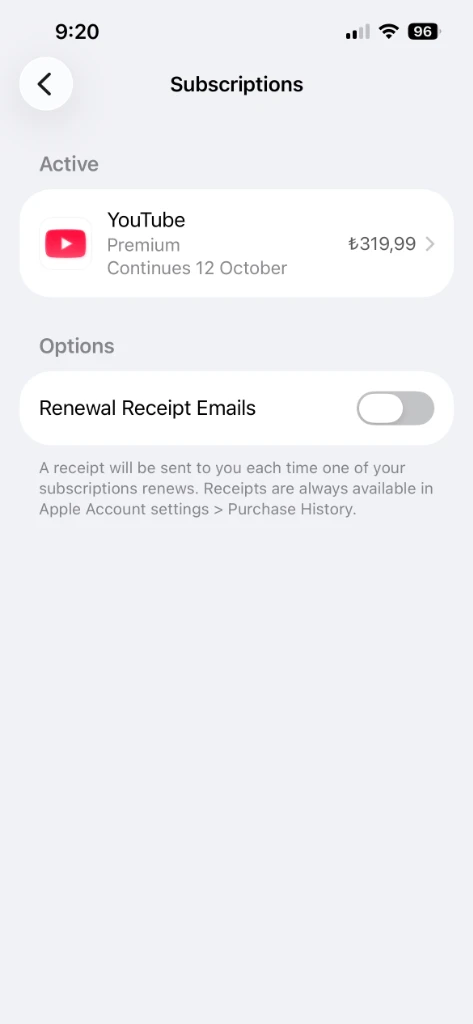
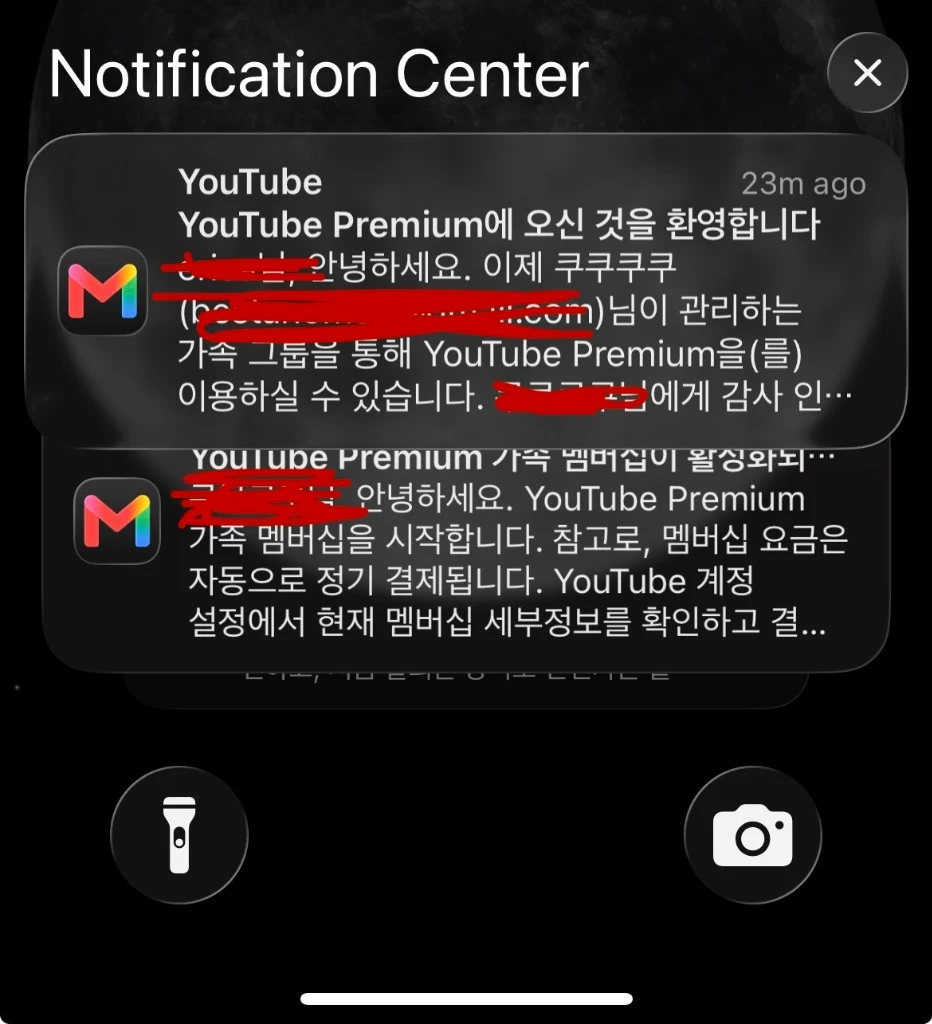
After payment, the Apple subscription list and the family invitation notification are the two useful checks. Prices and wording can differ by country, date, and account status.
Create a separate Apple account for the Turkey store
Changing the country on your main Apple account can affect existing purchases and account settings. A separate billing account keeps iCloud Photos, Contacts, and Notes on the account you already use. Open Apple Account in a private browser window and choose Turkey (Türkiye) as the country or region.
- Start a new Apple account with a separate email address.
- Select Turkey (Türkiye) for country or region.
- Enter the email, date of birth, and password, then complete Apple’s verification email.
- If an address is requested, read the field names and country selection carefully. Do not enter information you cannot verify or that conflicts with the service rules.
This is the easy place to get mixed up. Do not sign out of the Apple account at the top of iPhone Settings. Change only Media & Purchases when the payment step asks for the Turkey account.
Prepare SMS verification and phone alerts
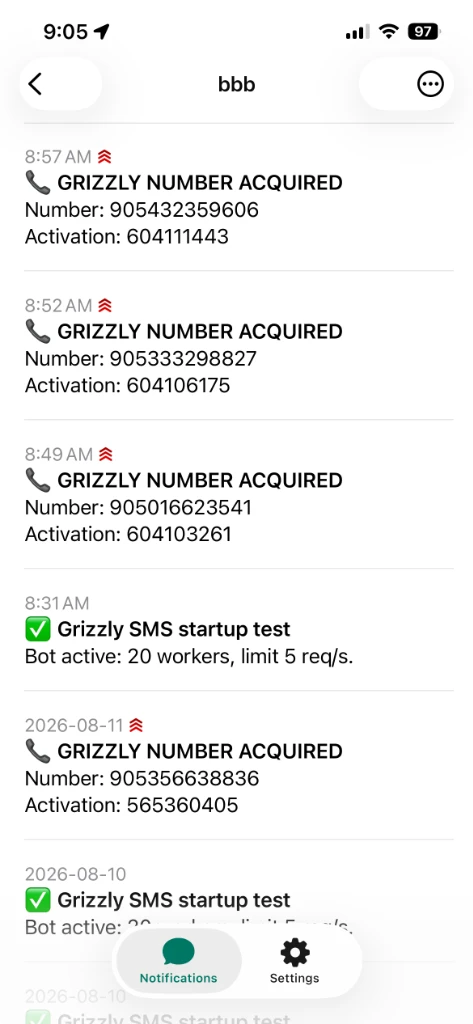
The purpose of this step is to catch the moment a number is assigned. Watching the Grizzly SMS page continuously makes it easy to miss the release timer; an ntfy alert sends the event to the phone instead. Check the service fee, cancellation rule, and whether temporary numbers are allowed for the account you are verifying.
- Open the Grizzly SMS site, create an account, and read the current balance and refund conditions before adding funds.
- Install ntfy on the phone. It is used to receive the alert when a number is found.
- Create a topic with a unique mix of letters and numbers. ntfy topics are public names rather than passwords, so avoid names such as
appleortest. - Save the address in the form
https://ntfy.sh/your-topic-name. The bot configuration uses this exact value.
Configure and run the Docker bot
The package does not require editing the Python code. Copy the API key from Grizzly SMS, put it and the ntfy address in the environment file, then run Docker.
- In Grizzly SMS, open Settings or API and press Copy next to the API key. The bot needs this key to request numbers.
- Unzip the package and open the hidden
.envfile in a text editor. - Put the key after
GRIZZLY_API_KEY=and the ntfy address afterNTFY_URL=. Do not add spaces around the equals sign, and never publish this file.
If the .env file is not visible, open the folder in Finder and press ⌘+Shift+. to show hidden files.
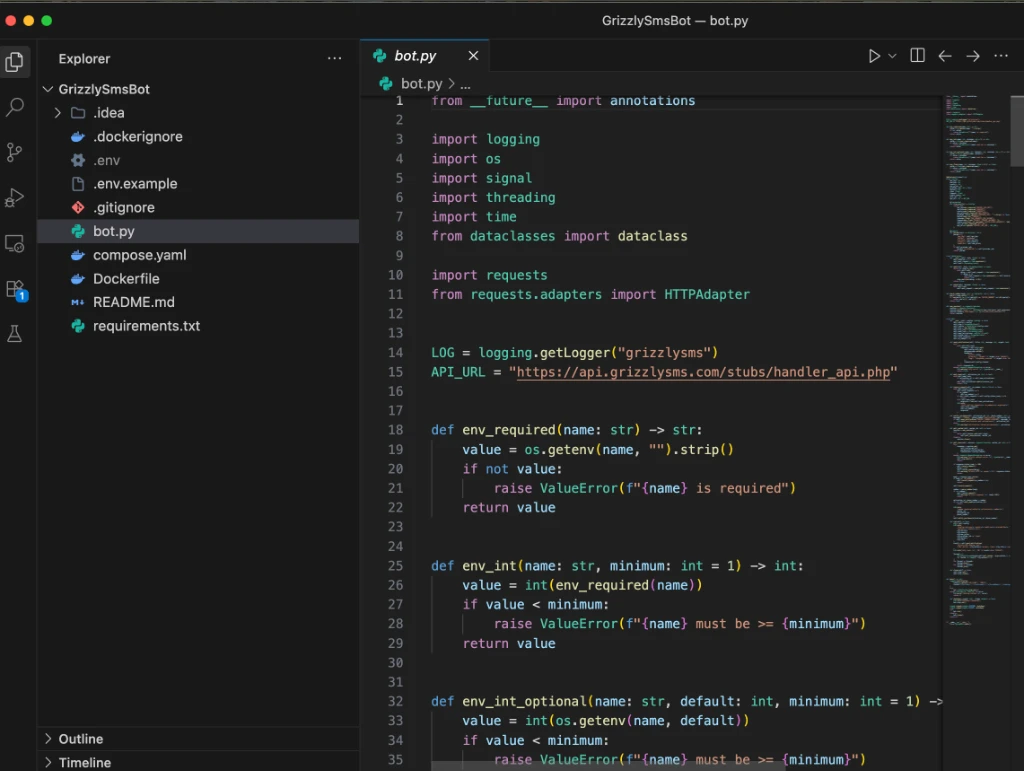
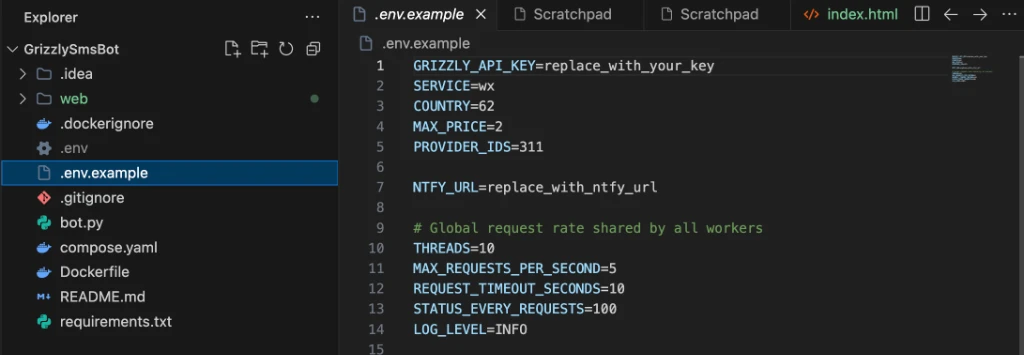
The shared ZIP contains the runnable files without a personal key file.
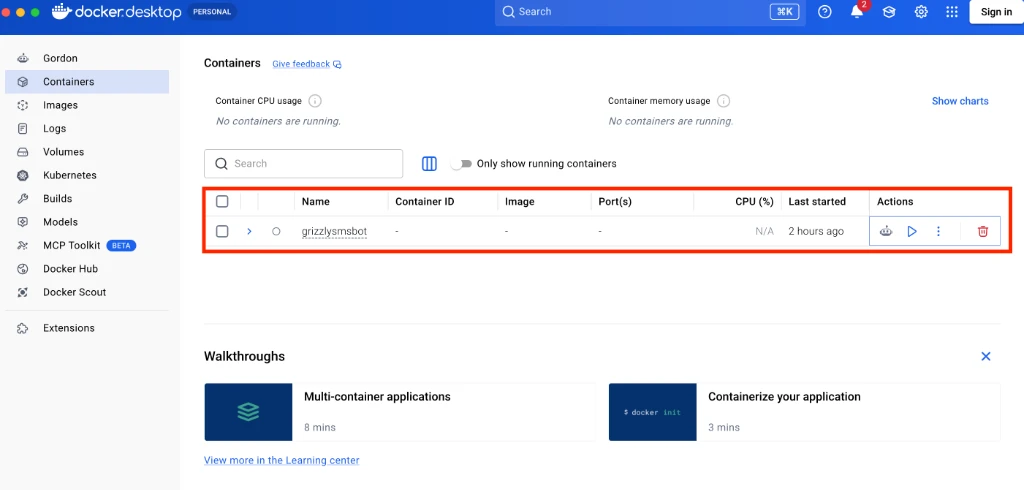
Open the unzipped folder in Finder. Right-click an empty area and choose New Terminal at Folder if that option is available. Confirm that the terminal is pointing at the bot folder, then paste the command below. It builds the image and starts the container in the background.
docker compose up -d --build
Enter the number before its timer expires
Keep the Apple verification window open before requesting a number. The original record used a roughly three-minute window; if the service shows a live timer, follow that timer first. If +90 is already selected, enter only the remaining local number digits. Check the dashboard for the code before typing it into Apple.
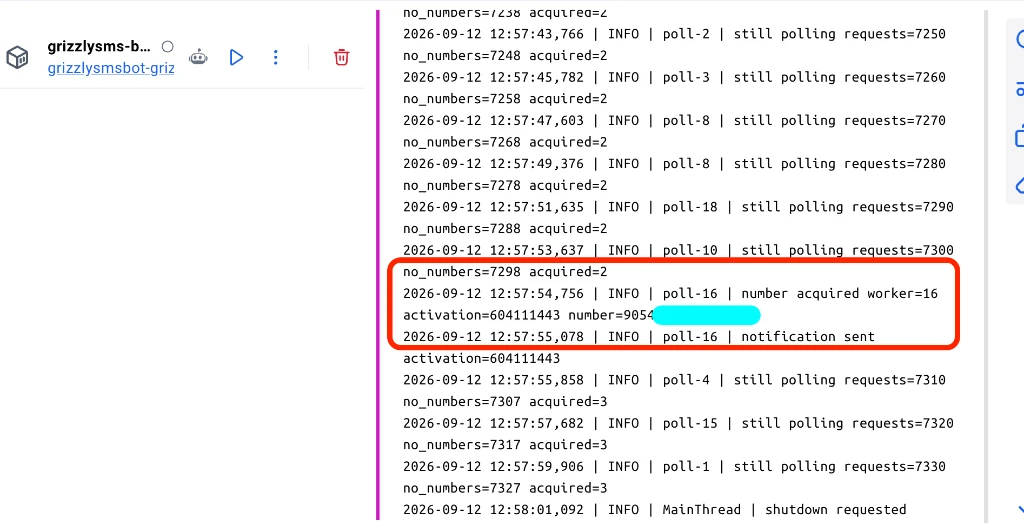
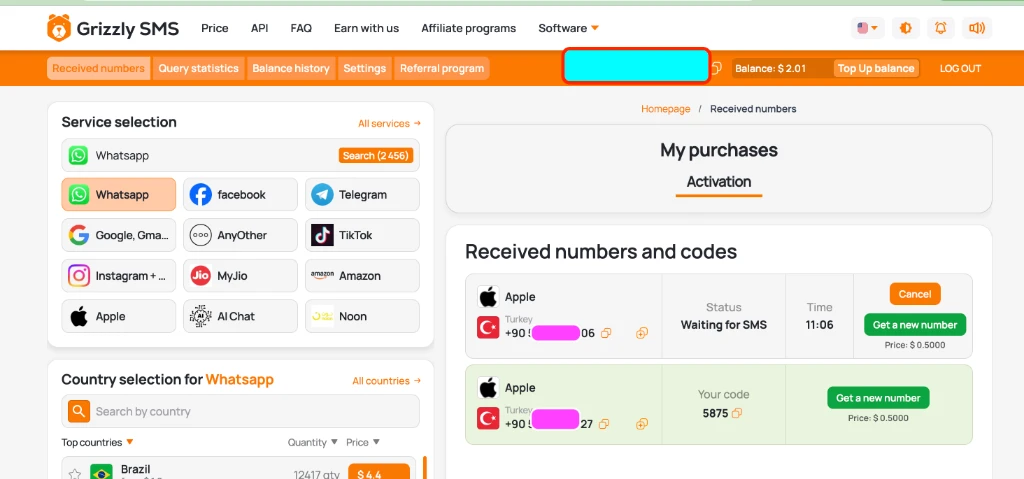
Once verification is complete, stop the bot in the same terminal. It does not need to keep polling.
docker compose down
Add App Store balance and renew
In iPhone Settings, sign in to the Turkey account only under Media & Purchases. In the App Store, open the profile menu and choose Redeem Gift Card or Code (the wording can vary by iOS version). Confirm that the balance is visible, then open YouTube and review the family-plan payment screen before confirming.
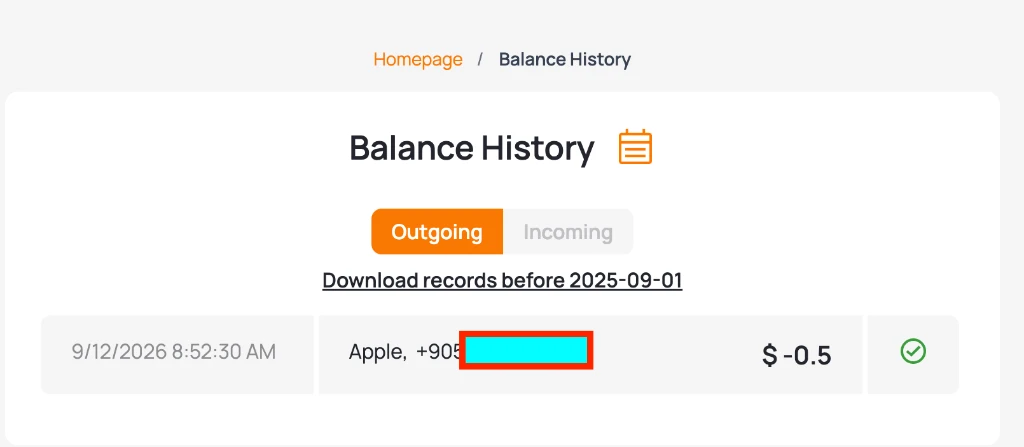
If payment still fails, check the account country, the Media & Purchases login, the balance currency, and the family-group country condition separately. Changing all four at once hides the cause.
Invite the existing Google account
The Turkey account acts as the family manager, while the Google account you already use remains the viewing account. In YouTube, open the profile’s Purchases and memberships or Family sharing area and choose the family-member invitation option. The invited account still has to meet Google’s country and family-group rules. A VPN or temporary account is not a guaranteed fix and can create cancellation or account-limit risks.
Where to look when the renewal stops
- Account created but payment missing: check the App Store login and country.
- Number received but no code: check the country-code field and the service timer.
- Renewal completed but invitation missing: check the Google family-group country and prior membership history.
- Bot stopped: check Docker Desktop status and the two values in the environment file.