
Homebrew, the standard package manager used across macOS for developer utilities and open-source software, has officially released its major v7.0.0 update.
Homebrew project leader Mike McQuaid highlighted three pillar advancements in this release: parallel processing for dramatically faster installs, hardened sandboxing security, and the launch of the official native macOS GUI application, 'BrewUI'.
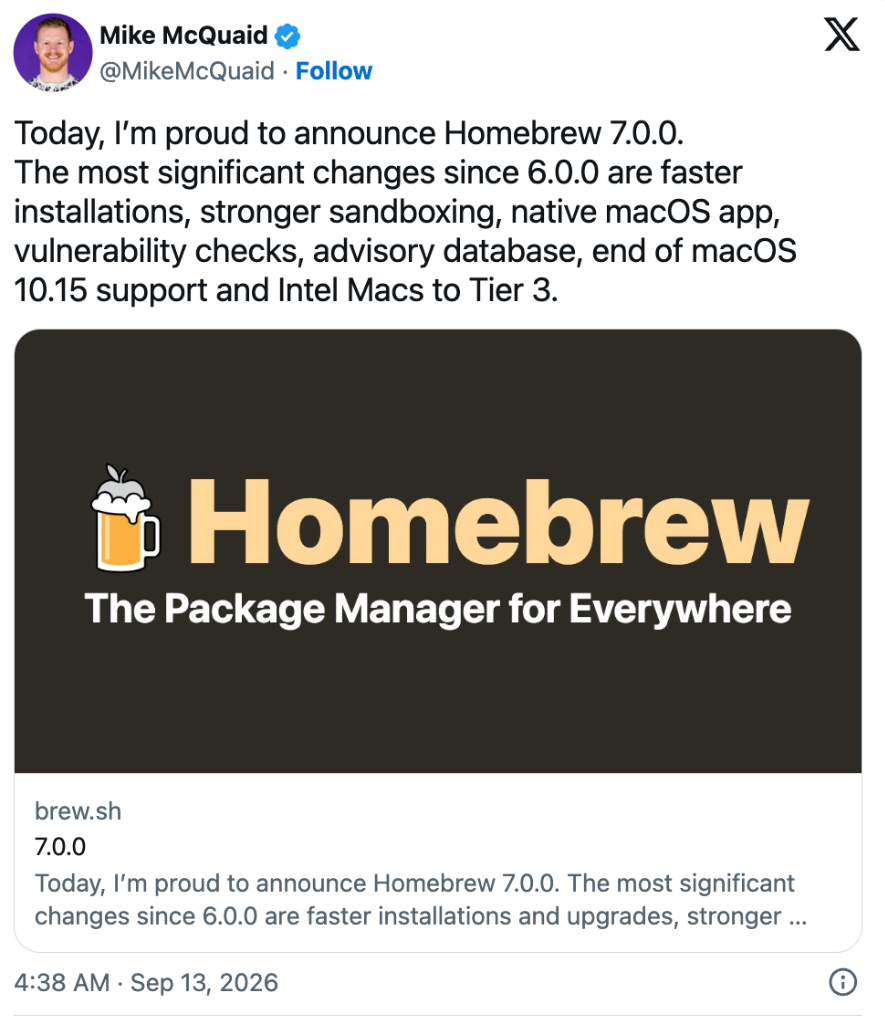
Rather than managing packages exclusively through complex terminal flags, users can now operate Homebrew via an intuitive native interface. Concurrently, a concrete end-of-life roadmap for legacy Intel Macs has been confirmed. Below is a structured summary of what matters most to day-to-day Mac users.
Faster Package Installs via Parallel Processing
Previously, executing brew install or brew upgrade in the terminal processed package downloads and build preparations strictly sequentially. Each component had to finish downloading before the next initiated, causing lengthy idle waits when handling multiple packages.
Starting with v7.0.0, Homebrew leverages parallel downloading and preparation. Assets are downloaded concurrently while background build setup begins immediately, producing a noticeably faster and more responsive update experience.
Home Directory Isolation and Vulnerability Audits (brew vulns)
Security sandboxing has been significantly tightened to prevent unauthorized access to local user files during formula execution.
- Home Directory Read Protection: Formulas are now restricted from reading arbitrary contents within user home directories (
~), eliminating potential vector leaks from unvetted third-party scripts. - Native Vulnerability Audits: A new command,
brew vulns, queries Homebrew's official vulnerability database against your installed formulae and flags known security issues instantly.
brew vulns
Official Native Desktop Client: ‘BrewUI’
The headline feature for desktop users is BrewUI, the first official graphical interface for Homebrew.
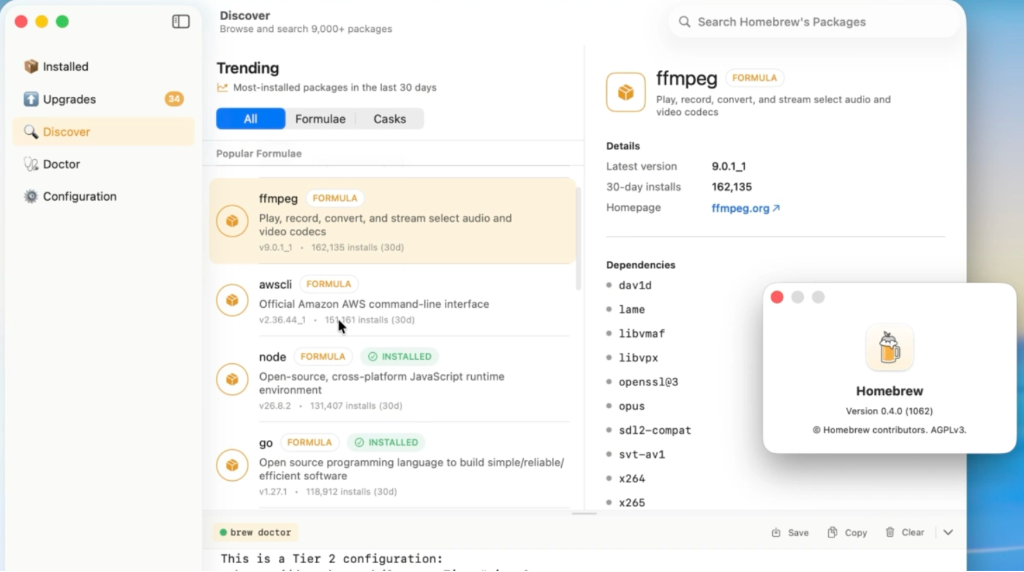
While community-built third-party frontends like Cakebrew and Applite existed in the past, core updates frequently introduced incompatibilities. BrewUI is maintained directly by Homebrew security lead Patrick Linnane and distributed as an official notarized package.
- Integrated Management Dashboard: Built with Swift 6.0, BrewUI offers high responsiveness and clean views of installed casks, outdated dependencies, and doctor diagnostic health reports.
- Installation: Install directly with a single terminal command:
brew install --cask homebrew-app
- Compatibility: Supports macOS 26 Tahoe or later across both Intel and Apple Silicon hardware architectures.
Intel Mac Deprecation Timeline: Supported Until September 2027
With Apple Silicon dominating Mac computing, Homebrew has formalized the retirement timetable for legacy x86_64 Intel hardware.
- macOS 10.15 Catalina Drop: Official support for macOS Catalina is completely removed in v7.0.0.
- Transition to Tier 3 for Intel Macs:
- Homebrew distributes pre-compiled binary packages ('Bottles') to save compilation time.
- Under Tier 3, pre-built binary bottles for Intel Macs will be severely phased out. Systems must compile source code locally, meaning noticeable fan noise, heavy CPU loads, and extended compile times during installations.
- Final Sunset: All Homebrew maintenance and compatibility for Intel Macs terminates in September 2027. Users relying on Intel machines for daily work should plan an Apple Silicon hardware transition prior to late 2027.
Homebrew 7.0.0 Quick Summary
| Category | Key Change | Practical User Impact |
|---|---|---|
| Install Speed | Parallel download and prep processing | Substantially reduced waiting time during updates |
| Security | Home directory sandboxing & brew vulns |
Prevents unauthorized file access and audits known security flaws |
| Official GUI | BrewUI native desktop app (Swift 6.0) | Search, install, update, and diagnose packages visually |
| Legacy OS | macOS 10.15 Catalina support removed | Modern macOS releases required for active maintenance |
| Intel Macs | Tier 3 status; sunset in September 2027 | Fewer binary bottles; higher compile times and fan speeds |
Managing Packages with a Clean Visual Interface
For users who found terminal commands cumbersome, BrewUI provides a welcoming, reliable alternative. Package discovery, updates, and maintenance can now be handled cleanly without manual command entry.
Existing users can run brew update to upgrade to v7.0.0, followed by brew install --cask homebrew-app to explore the new desktop companion.